How to Export ChatGPT History, Then Actually Read It
To learn how to export ChatGPT history, open Settings, then Data controls, and select Export. ChatGPT emails you a zip within up to 7 days. Next, drop that zip into this exporter, tick the chats you want, and download readable Markdown, PDF, Word or HTML files instead of raw JSON.
By The Chatsheaf team (Product and testing). Last updated .
ZIP, JSON, TXT or MD. The zip is opened on your device; photos in it are never uploaded.
How to export ChatGPT history, step by step
- Sign in at chatgpt.com, open your profile menu and choose Settings.
- Go to Data controls, select Export under Export data, then click Confirm export.
- Wait for the email or SMS, then download the zip within 24 hours while signed in to the same account.
- Drop the zip on this page. Only conversations.json is read, so photos and audio stay on your computer.
- Search or tick the chats you want, pick Markdown or another format, and download your files.
The first 3 runs each day are free. After that, see the pricing page for packs and plans, or read how we test the tool.
How to export ChatGPT history tested with a real input
First, we ran our own sample export through this exact tool. The sample follows the real export layout, with chats we wrote ourselves. So the numbers below come straight from that run.
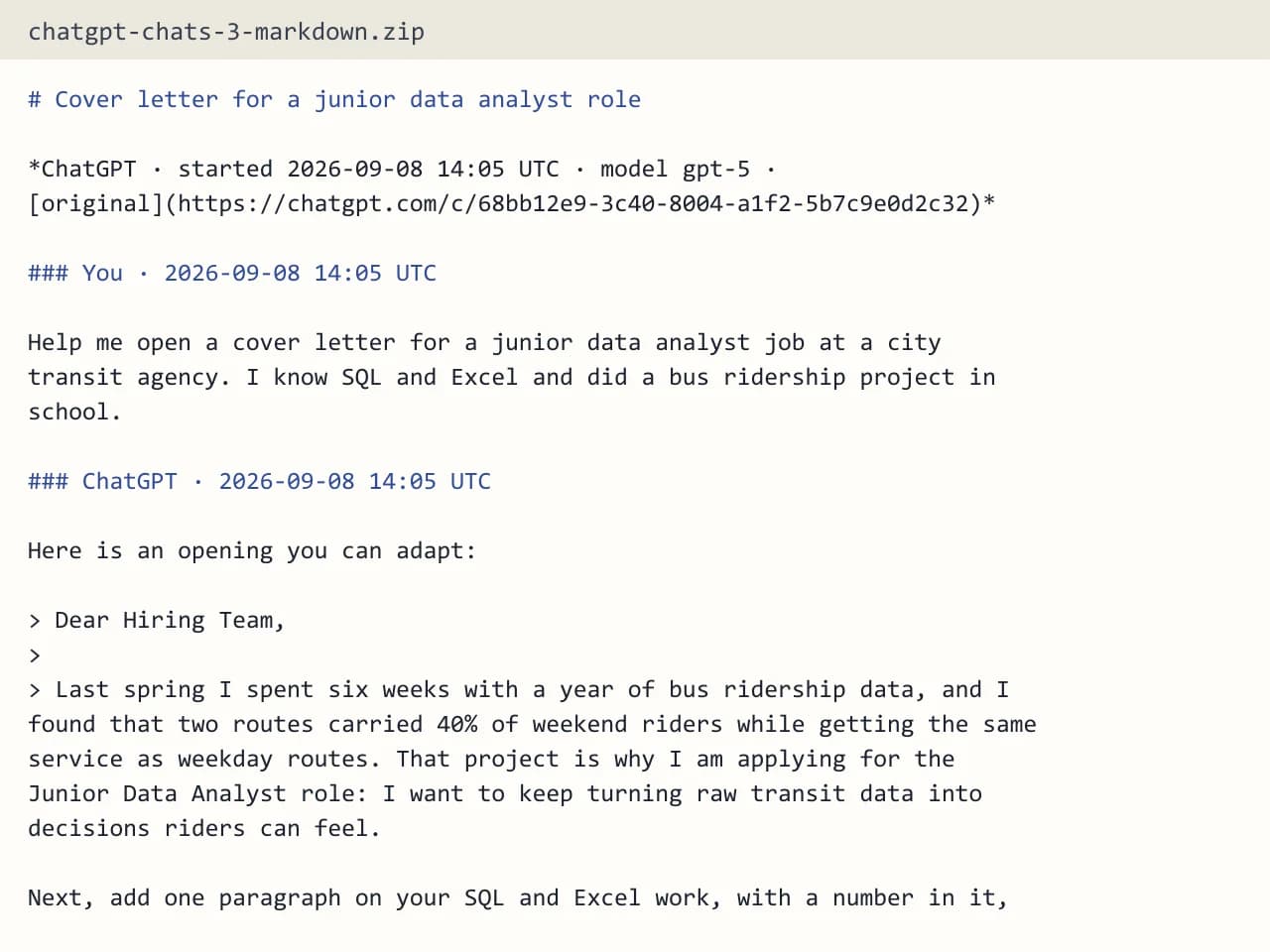
- Test input
- chatgpt-conversations.json
- Output
- chatgpt-chats-3-markdown.zip (Markdown (.md))
- Conversations
- 3
- Messages
- 8
- Output size
- 2 KB
- Processing time
- 0.0 s
How we test: the sample files hold ChatGPT and Claude chats with tables, code and lists, and we open every output by hand. More on the about page.
How to export ChatGPT history in two stages
Most guides stop at the export button, but that only covers half of the job. First, ChatGPT itself packs your data into a zip file. Then you still need something that turns that zip into pages a person can read. This page covers both stages, so you finish with files instead of a folder full of code.
The official route lives in your account settings. Open the profile menu, choose Settings, then Data controls. Under Export data, select Export and confirm. OpenAI then prepares the archive and sends a link by email or SMS when it is ready. According to the OpenAI help page, that can take up to 7 days, although small accounts often arrive much sooner.
What the ChatGPT zip contains
When you unzip the archive, you find a file named conversations.json. It holds every chat as a tree of messages, including branches you edited or abandoned. You also get chat.html, which is one very long page, plus user data files and the images you created or uploaded.
So why not just open chat.html? Because a long history turns it into a single endless scroll with no real search and no way to save one chat on its own. The JSON file is complete, yet it reads like machine output. That is the gap our exporter fills: it reads the tree, follows the branch you actually see in the chat window, and writes each conversation out cleanly.
Choosing a format for your history
Markdown is the default here, because it suits notes apps, code editors and Git. You get one .md file per chat, and several chats arrive together as a .zip. If you prefer something to print or share, PDF puts every chat in one file, starts each on a new page, and adds bookmarks and page numbers.
Word gives you one .docx document with a heading per message, so the navigation pane lists them all. In addition, an Obsidian vault sorts chats into folders by source and year with YAML frontmatter. Finally, the HTML page and plain text options work for quick reading or for pasting into other tools.
What stays in the files and what does not
Each file keeps your messages and the replies in order, with a UTC timestamp per message, the chat title, the model name when the export has it, and a link back to the original chat. Code blocks, tables, lists and headings survive as well. Meanwhile, ChatGPT citation markers such as 【4†source】 are removed, since they mean nothing outside the app.
Some things do not come along. Images appear as "[Image]", and hidden system messages, tool calls and model reasoning are left out. Your pictures and canvas documents still sit in the original zip, so keep it somewhere safe.
When this exporter is not the right choice
Be honest with yourself about what you need. If you want a live backup that updates every day, this is the wrong tool, because it does a one-time export rather than automatic sync. It also cannot read Gemini, Grok, Copilot or DeepSeek exports. In addition, an export cannot bring back chats you already deleted, so nothing here can recover them.
Workspace accounts are another limit. ChatGPT Business and Enterprise members cannot export their own data, which is OpenAI's rule, so you would need to ask the workspace owner.
How to export ChatGPT history: the key facts
| Item | Detail |
|---|---|
| Where to request it | Settings, Data controls, Export data |
| Delivery time | Up to 7 days, by email or SMS |
| Download link valid | 24 hours after you receive it |
| Plans that can export | Free, Go, Plus, Pro and eligible Edu |
| File our tool reads | conversations.json (or the split conversations-000.json files) |
| Chats per export | Up to 5,000 conversations |
How to export ChatGPT history FAQ
How do I export my ChatGPT history on my phone?
The OpenAI steps start at chatgpt.com: profile menu, Settings, then Data controls. Once the zip arrives, you can drop it on this page from any browser, so a laptop is easier but not required.
Can I export only one ChatGPT conversation?
ChatGPT only exports the whole account at once. However, after you upload the zip here, you can tick a single chat and download just that one.
Why is my ChatGPT history export just a JSON file?
The zip stores chats as conversations.json because it is a data format, not a reading format. Our exporter converts it into Markdown, PDF, Word, HTML or text.
Does exporting delete my ChatGPT chats?
No. Requesting the export only creates a copy, and your chats stay in your account as before.
Is my history uploaded when I use this tool?
Only the chats you tick are sent, as a small JSON file. The server builds your file in memory and then forgets it, and it keeps only a log row with format, count and time.
Is it free to convert my history?
You get a few free exports each day without an account. A free run holds the 10 newest of your selected chats, and the pricing page covers full exports.