Export Claude chat to Markdown, one .md file per chat
To export a Claude chat to Markdown, request your data under Settings > Privacy in Claude, then drop the zip here and pick Markdown. Each chat becomes its own .md file with headings, lists, tables and code blocks intact. Several chats arrive together in one .zip.
By The Chatsheaf team (Product and testing). Last updated .
ZIP, JSON, TXT or MD. The zip is opened on your device; photos in it are never uploaded.
How to export a Claude chat to Markdown, step by step
- Request your data in Claude (web app or Claude Desktop) under Settings > Privacy, Export data.
- Download the zip from the email link before it expires 24 hours later.
- Drop the zip above, then search or scroll the list of chats.
- Tick the chats you want and choose Markdown (.md).
- Unzip the result and open the files in your editor or notes app.
The first 3 runs each day are free. After that, see the pricing page for packs and plans, or read how we test the tool.
Export Claude chat to Markdown tested with a real input
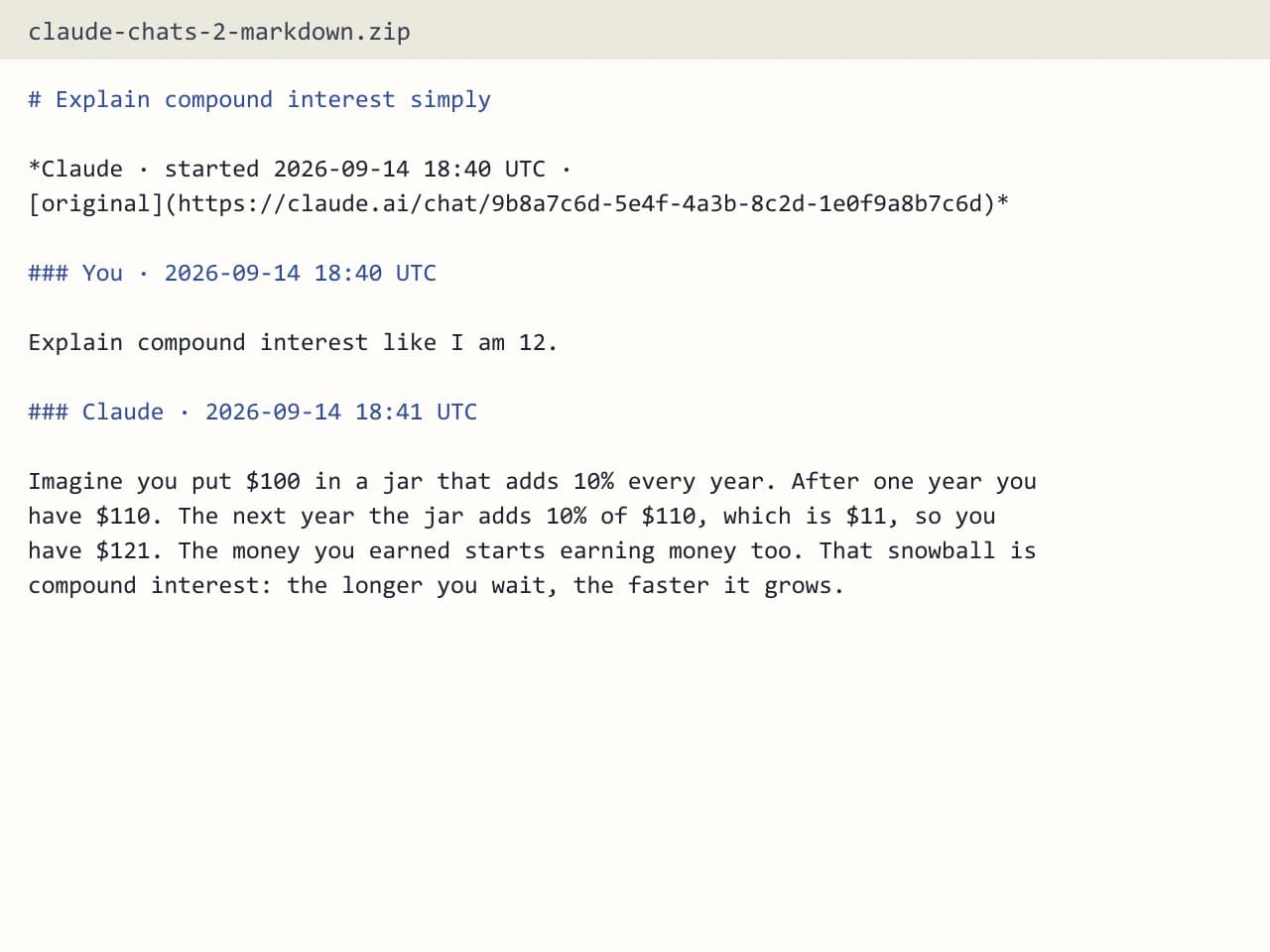
First, we ran our own sample export through this exact tool. The sample follows the real export layout, with chats we wrote ourselves. So the numbers below come straight from that run.
- Test input
- claude-conversations.json
- Output
- claude-chats-2-markdown.zip (Markdown (.md))
- Conversations
- 2
- Messages
- 6
- Output size
- 1 KB
- Processing time
- 0.0 s
How we test: the sample files hold ChatGPT and Claude chats with tables, code and lists, and we open every output by hand. More on the about page.
Why Markdown is a good home for Claude chats
Claude answers are already Markdown at heart. Headings, bullet lists, tables and fenced code are how it formats long replies. So a .md file keeps that structure with almost no loss, while a PDF freezes it and a raw JSON file hides it.
Markdown is also plain text. You can open it in any editor, search it with normal tools, track it in git and paste it into another app. For example, a developer can keep every Claude coding session next to the repo it helped build.
What goes into each Claude Markdown file
Each file holds one conversation. It starts with the chat title, then your messages and Claude's replies in the order you saw them, each with a UTC timestamp. The model name appears when the export includes it, and a link points back to the original chat.
Code stays in fenced blocks, so syntax highlighting works in most editors. Tables stay as Markdown tables. Unlike the PDF option, Markdown keeps every character, including emoji and Chinese, Japanese or Korean text.
Some things stay out. Images become [Image], and attached files appear by name without their contents. Also, Claude's thinking, tool calls and hidden system messages do not appear.
Export Claude chat to Markdown or to an Obsidian vault?
Plain Markdown gives you simple .md files and leaves the folder layout to you. If you use Obsidian, though, the Obsidian vault option may fit better. It files each chat under AI Chats/Claude/ by year, adds YAML frontmatter (title, source, dates, model, url, message count, tags) and writes an index note that links every chat by month.
Both options come from the same export, so you can try one and switch later.
Privacy, limits and cost
Your browser opens the zip and reads only conversations.json. Then only the chats you tick go to the server as a small JSON file. The server builds the Markdown in memory and forgets it, keeping just a log row with the format, count and time.
One upload takes up to 25 MB of selected chats, and one export handles up to 5,000 conversations. You get a few free exports each day, and a free run holds the 10 newest chats you select.
When this exporter is not the right choice
If you need a file that looks the same for everyone, such as a printout for a meeting, PDF or Word suits that job better. In addition, if you want your chats to sync into notes on their own, this tool cannot do that, because it runs one export at a time. Lastly, Claude cannot import an export into another personal account, and Markdown does not change that.
Claude Markdown export details
| Item | Result |
|---|---|
| Files | One .md per chat, several chats in one .zip |
| Formatting kept | Headings, lists, tables, code blocks |
| Characters | All, including emoji and CJK |
| Per message | Order and UTC timestamp |
| Attachments | Named, contents not included |
| Chats per export | Up to 5,000 |
Export Claude chat to Markdown FAQ
Can I export a Claude chat to Markdown without coding?
Yes. You only need the zip from Claude's Export data option. Drop it here, tick the chats and pick Markdown, with no scripts or command line.
Does Claude have a built-in Markdown export?
Claude exports your data as a zip with JSON files, not as Markdown. Our tool turns that conversations.json into .md files.
Will my code blocks survive the Markdown export?
They will. Code stays in fenced blocks, so editors and git hosts show it as code.
How do I put Claude chats into Obsidian?
Choose the Obsidian vault format instead of plain Markdown. You get folders by year, frontmatter on every note and an index note with links.
Can I export just one Claude chat to Markdown?
Yes. The list shows every chat with its title, date and message count, so you can search and tick just the ones you need.
Are files I uploaded to Claude included?
No. Attachments appear by name, but their contents stay out, much like Claude's own export for Team and Enterprise accounts.